
Start with the overall shape
AI engines cite web pages as sources when they answer. Knowing which pages get cited tells you where your content needs to be. Three cards at the top of Citation sum up the whole picture.
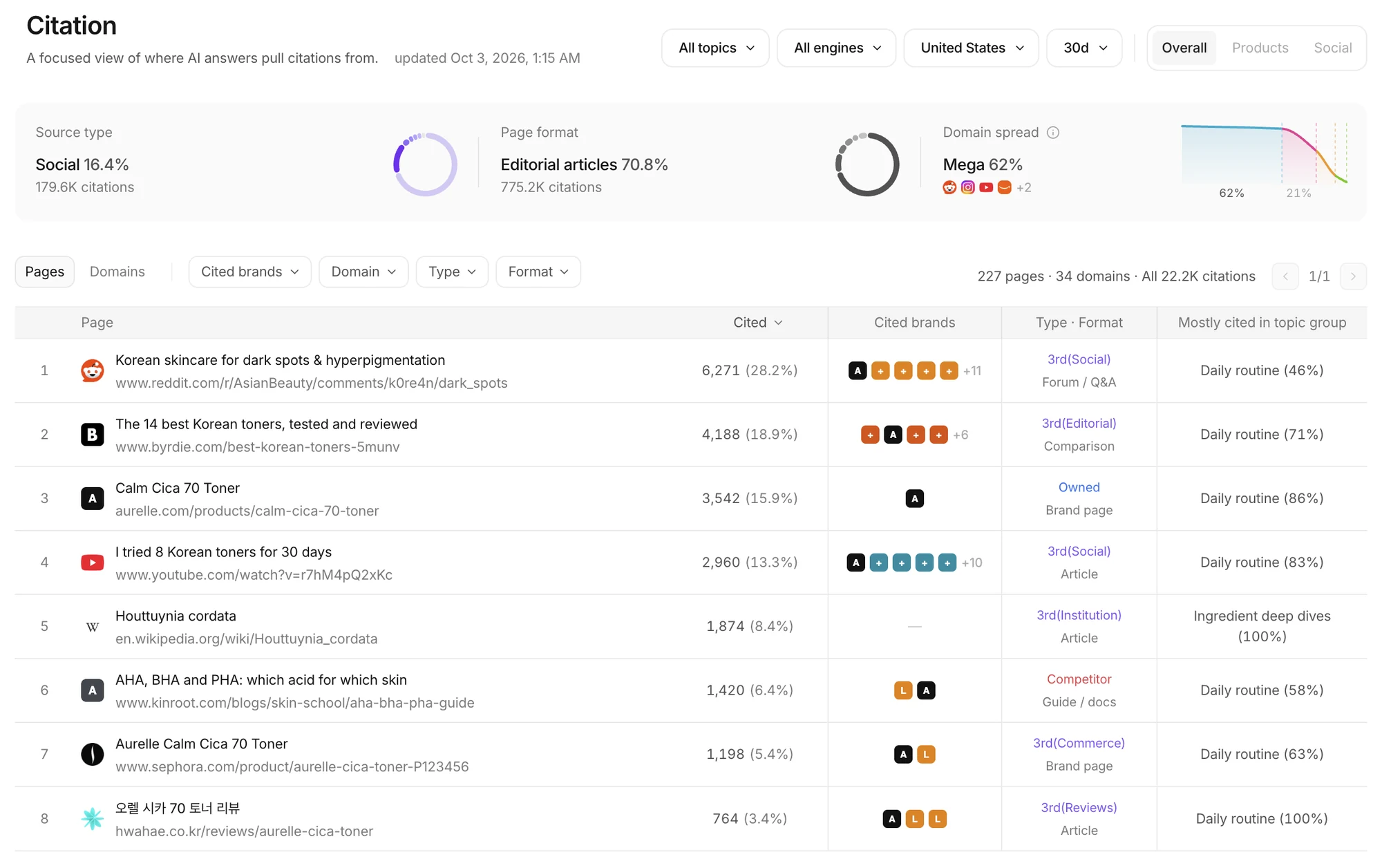 Read the shape from the cards, then go page by page in the table. The example uses a fictional brand.
- Source type: how much of the citing comes from your own site, competitors and third parties (other sites and social).
- Page format: which kinds of page get cited most, such as brand pages, comparisons, articles and guides.
- Domain spread: a curve showing whether citations pile onto a few domains or spread across many. A high long-tail share means steady presence across many outside sites matters.
Pages and domains
The table below switches between Pages and Domains.
- Each page shows its citations and share, the brands cited alongside it, its source type and format, and the topic groups it is cited for most.
- Filter by Cited brands, Domain, Type and Format. Find comparison articles that cite only competitors, for example, and you have found where your brand is missing.
- At the top right pick the topic, engine, prompt version and period, and switch the scope between Overall, Products and Social.
Try this
Take third-party comparisons that keep citing competitors as topics for Off-site content, or ask Agent why your own brand pages are not being cited.