
See what happened in your workspace in the Inbox
You no longer need to open each page to check whether content finished generating or how this week's mention rate looks. The new Inbox in the sidebar collects your workspace's updates in one place.
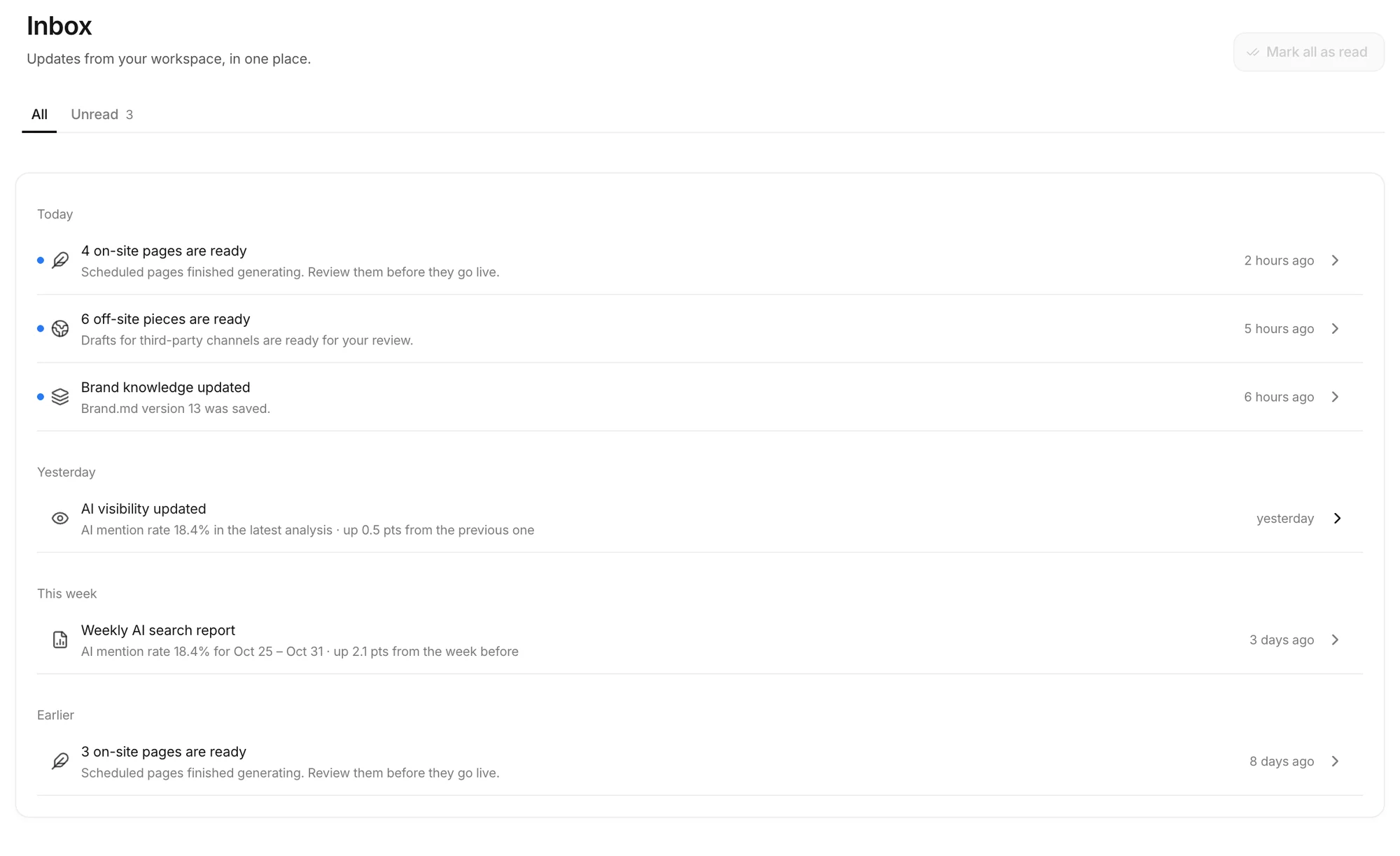 A blue dot marks an unread notification. Select it to open the related page. The example uses a fictional brand.
- The sidebar shows your unread count next to Inbox.
- Notifications are grouped into Today, Yesterday, This week and Earlier.
- Select a notification to mark it read and open the related page.
- Use the Unread tab to see only what you haven't opened, and Mark all as read to clear the list.
What shows up in the Inbox
| Notification | Opens |
|---|---|
| On-site pages are ready | On-site preview |
| Off-site pieces are ready | Off-site preview |
| Weekly AI search report | Overview |
| AI visibility updated | AI Visibility |
| Brand knowledge updated (a new Brand.md version) | Knowledge > Brand |
Batch-completed notifications you get by email also stay in the Inbox, so you can find them there if you miss the email.
Last week's results by email, every Monday morning
You don't have to wait for the monthly report. Every Monday from 9:00 a.m. KST, each member of a workspace gets one email about the previous Sunday-to-Saturday week.
- AI mention rate and its last 8 weeks
- Share of voice and rank
- Citations of your own site in AI answers, and GA4 AI referral sessions
- Citations of content made by Anymorph
- Content waiting for review, with a button to the review queue
The figures use the same definitions as the monthly report. The email follows your Dashboard language. To stop it, turn off Weekly report under Settings > Email notifications. The switch applies only to your account.
Brand info questions, only when a fact needs checking
Before the Anymorph team changes your brand info (Brand.md), it saves the corrections it is sure of and asks you only about the facts that need checking. The questions collect under To confirm on the Knowledge > Brand page.
- You see the team's proposed change and its question as they are.
- Yes, save it saves exactly the change you read to your brand info right away.
- No lets you tell the team what's correct.
- The Answered tab shows whether each answer is Saved, Team is checking or Not saved.
Try this
- Read last week's figures in the Monday email, then use its button to review waiting content.
- Once a week, open the Unread tab in the Inbox to catch finished batches and brand updates you missed.
- Answer questions under To confirm first. Your answers become the brand facts used in the content made after them.
Get the next update by email
When a new update ships, we send it to you in one email.