
Naver's AI answers next to the other engines
You cannot read the Korean market without Naver. Since July 23, the AI answers in Naver search are measured as the Naver AI Tab engine. Every engine gets the same prompts on the same day, so you can compare their numbers directly.
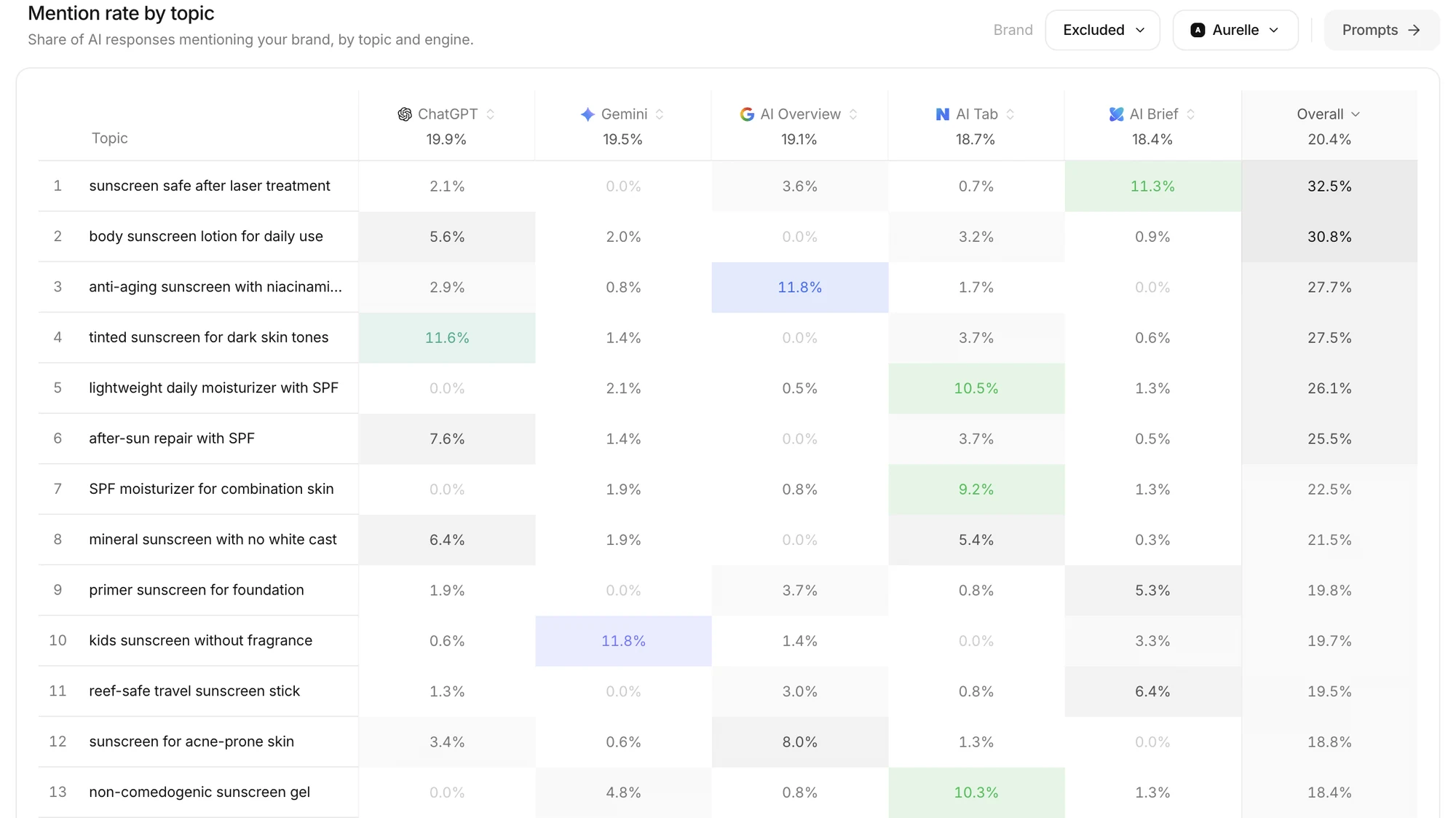 The AI Tab and AI Brief columns are Naver. The same topic can get very different mention rates from one engine to the next. The example uses a fictional brand.
- In Visibility, Mention rate by topic compares ChatGPT, Gemini, Google AI Overview and Naver for each topic in one row.
- Open a prompt in Prompts to read how Naver's AI actually answered, next to the other engines' answers.
- The engine icons on each prompt row show which engines that prompt is asked on.
Naver's answers on their own
Pick N among the engine icons at the top of Visibility, and the whole view switches to Naver AI Tab answers.
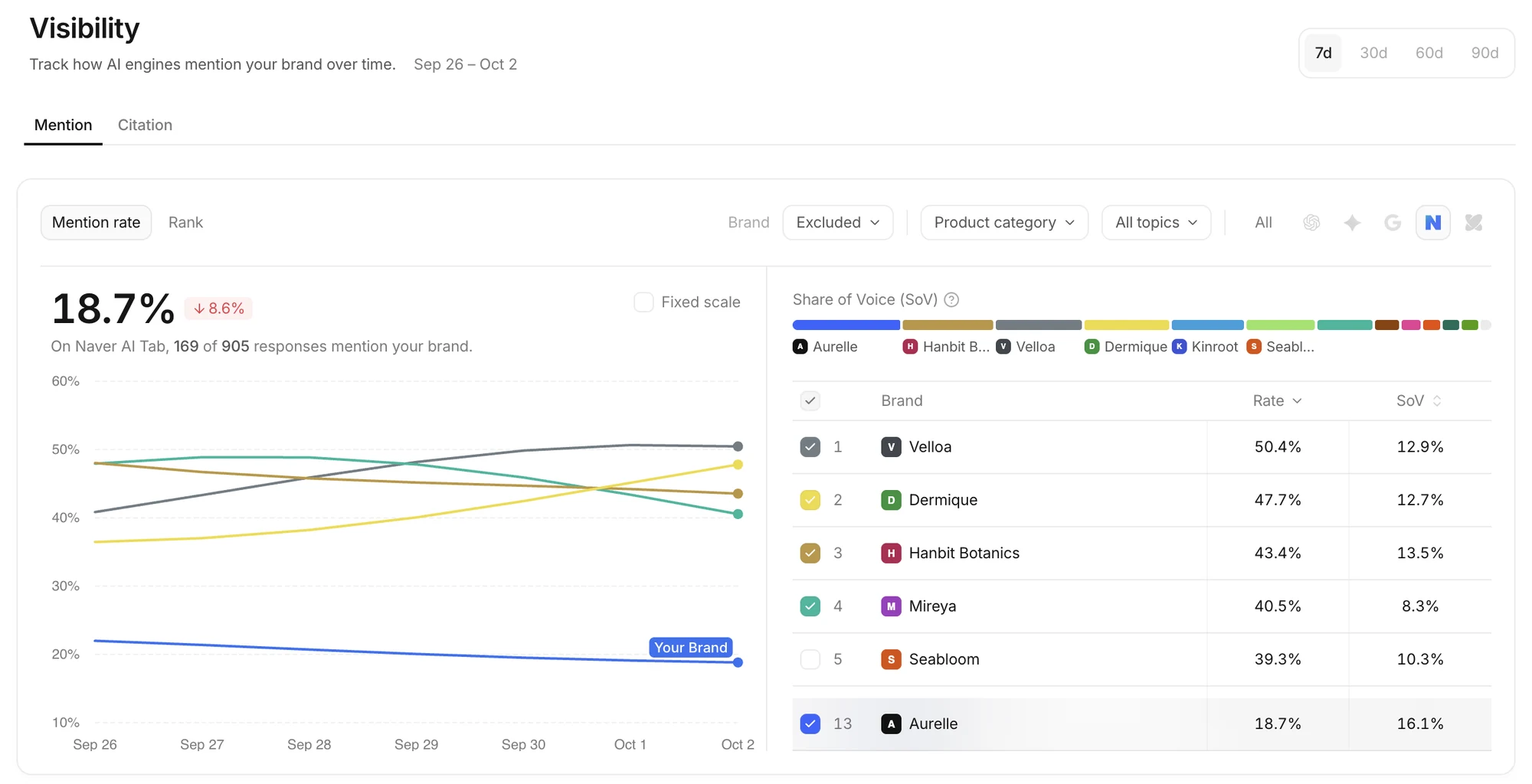 The line above the chart says which engine the numbers come from. The example uses a fictional brand.
- The mention rate trend, Share of Voice, and each brand's rate and share are worked out from Naver's answers alone.
- Switch between engines to find competitors that lead only on Naver.
- Choose All to go back to every engine.
Engines added on September 20
- Naver AI Brief measures the AI Briefing shown above Naver's search results on its own. The AI Tab and the AI Briefing answer differently, so they are kept apart.
- On the same day, Naver AI Mode was renamed Naver AI Tab. Data from July carries on unchanged.
- Google AI Mode now shows as an engine of its own, separate from Google AI Overview.
Site Audit for Naver
Since September 25, you can choose Naver AI Tab or Naver AI Brief under AI engine in Site Audit. The audit follows how that engine reads your pages, so you can find what Naver's AI misses on them.
Which engines you have
- The engines measured depend on your plan and workspace settings. The engine icons on screen are the ones being measured now.
- If you need Naver and do not see it, let the Anymorph team know.